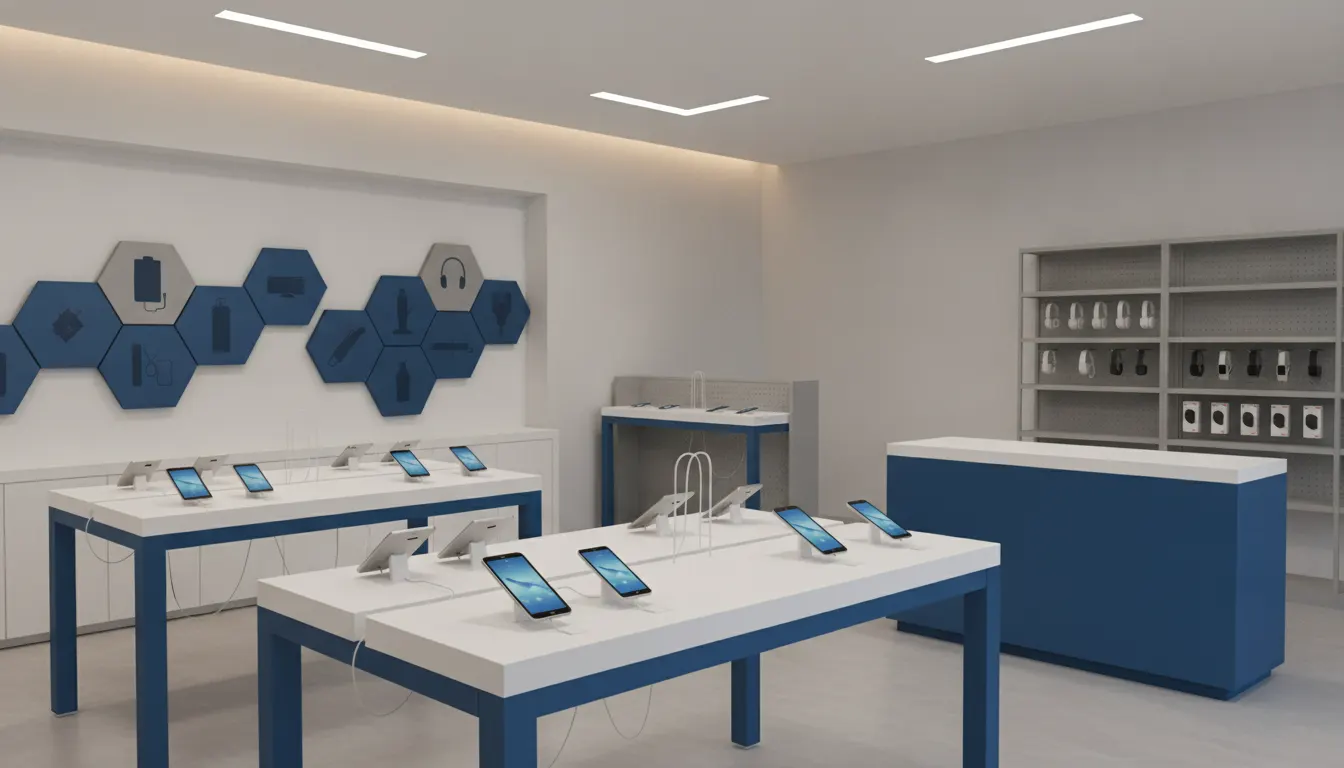


Electronics retailers ask more of a fixture program than simple product storage. A shopper may need to handle a device, compare models, test a connected feature, understand an accessory, and feel confident about a high-consideration purchase before speaking with an associate. The right electronics store fixtures support that journey while protecting live products, organizing power and data, and giving store teams a repeatable standard across locations.
Plan custom retail fixtures for your electronics program with S-CUBE.
This guide focuses on the operational decisions behind a successful program: demo access, security, serviceability, cable routing, accessory adjacency, sightlines, fixture roles, and rollout control. Start with the customer journey, then build the fixture system around what shoppers and associates must do.
The strongest electronics store fixtures are planned around decisions, not a catalog of parts. Map the path from first sight to hands-on evaluation, comparison, associate conversation, purchase, pickup, and service. Each stage needs a different combination of visibility, access, security, power, storage, and staff support.
Begin by grouping products and tasks into practical zones:
This zoning avoids a common mistake: using one attractive table or wall system for every product. A live demo surface, a secure accessory bay, a boxed-inventory gondola, and an associate counter may share finishes and brand standards, but they perform different jobs. S-CUBE supports electronics and technology retailers with interactive displays and secure mounts, so the program can be engineered around both the product experience and the store environment.
Use interactive retail displays as a related planning reference, but keep the electronics brief specific. Document the action each zone should support, the product it serves, the associate task behind it, and the condition that indicates the zone is working.
Demo stations should feel open enough for natural interaction while reducing theft, damage, tampering, and difficult maintenance. Decide on the security approach, device position, restraint path, service access, and replacement process before the design is finalized. Security features and integrated lighting can be incorporated into custom display cases, but the details should support the product experience rather than dominate it.
Use a layered approach:
The solution varies by assortment. A phone table may need compact secure mounts and concealed charging. A premium audio wall may need open listening access and an organized cable path. A connected-home vignette may need several powered devices with enough separation for shoppers to understand how the products work together.
Read S-CUBE's guide to retail display security solutions for adjacent security planning. Then carry the decisions into design, engineering, and prototyping so serviceability and security are tested together rather than added after the visual concept is approved.
Power planning is part of the customer experience. A dead demo, exposed extension cord, or cable crossing a shopper's hand position makes the store feel unfinished and creates avoidable service work. Electronics store fixtures should reserve routes, access panels, device positions, and load assumptions early, before the footprint and construction details are fixed.
A practical brief should answer these questions:
Do not treat cable routing as a final installation detail. It affects counter thickness, wall depth, shipping configuration, cleaning, service time, and the visual quality of the department. For a multi-store rollout, document the approved approach in assembly instructions and location-level installation standards.
S-CUBE coordinates fixture programs from design through manufacturing and logistics. Pair this fixture brief with the customer site's guidance on retail technology installation so building conditions, fixture access, and store-team responsibilities are considered together.
Every physical element should have a defined merchandising and operational role. Wall systems create vertical presence, demo tables support product interaction, gondolas organize accessories or boxed products, and consultation counters support assisted selling. A custom program connects those pieces into a consistent environment without forcing every store into the same footprint.
| Fixture role | Best use | Planning priority |
|---|---|---|
| Wall systems | Hero devices, brand zones, mounted screens, and products that benefit from vertical visibility. | Mounting, viewing angle, glare, load, power, and cable routing. |
| Demo tables | Phones, tablets, wearables, controls, and products that need hands-on evaluation. | Security, power density, customer reach, cleaning, and replacement access. |
| Gondolas and shelving | Accessories, boxed products, comparison bays, and flexible assortments. | Adjustability, replenishment, category adjacency, and aisle clearance. |
| Consultation counters | Product comparison, setup support, pickup, service conversations, and assisted selling. | Associate workflow, storage, queue movement, privacy, and accessibility. |
| Secure storage | High-value compact products, back stock, replacement units, and controlled-access inventory. | Access control, visibility for staff, replenishment speed, and service organization. |
| Custom program elements | Branded combinations of walls, tables, counters, storage, lighting, and graphics. | Repeatable specifications, finish control, packaging, installation, and future revisions. |
Materials should serve the environment and the product. S-CUBE can combine wood, metal, acrylic, glass, wire, plastic, and mixed mediums in custom programs, with design consultation, renderings, prototypes, and value engineering supporting the decision. Link fixture choices to the broader principles in the guide to retail fixture design, while keeping electronics-specific power, security, and service needs at the center.
Accessories should remain close enough to support comparison and attachment sales without creating visual noise around the demo. A related point-of-sale display strategy can help define where add-ons belong in the path to purchase.
A multi-location electronics fixture program must be repeatable without becoming rigid. Start with a representative pilot, test the interaction and service model, then standardize the parts that should remain consistent. The layout can adapt to different footprints while preserving the customer journey and the brand experience.
S-CUBE supports programs from pilot stores to 500-plus location rollouts. Its capabilities include modular component systems, tool-free assembly designs, knock-down shipping configurations, pre-assembled options, multi-location shipping, direct-to-store delivery, kitting, staging, warehousing, and installation-timeline scheduling.
Manufacturing strategy should match the program's schedule and volume. Domestic facilities can support rapid prototyping and short-run production, while international partners can support larger-volume production. A hybrid domestic and international plan can balance speed, cost, and flexibility. Quality systems include raw-material inspection, in-process checks, final assembly verification, and pre-shipment audits.
For a coordinated program, connect the design to S-CUBE's project management and customer service capabilities. The objective is not merely to ship fixtures. It is to preserve the approved interaction, finish, security approach, and installation standard at every location.
A strong brief gives the design and engineering team enough operational detail to solve the real problem. It should describe the merchandise, customer behavior, store conditions, program scale, and success criteria before anyone selects a finish or draws a hero table.
Include these inputs:
Scope-based planning also makes proposals easier to compare. Suppliers can respond to the same functional requirements instead of a loose request for modern electronics displays. Value engineering may then address material selection, manufacturing methods, assembly simplification, and logistics without assuming a universal price or sacrificing the required customer and operational function.
S-CUBE's full-service model covers design, engineering, prototyping, manufacturing, project management, logistics, warehousing, and quality control. Keep the brief specific enough to support a pilot, while recording which standards must carry forward if the program expands.
Electronics store fixtures should combine product access, security, power, merchandising clarity, and repeatable store execution. The best plan starts with the customer journey and assigns each product and operational task to a fixture zone that can be maintained and scaled.
Retailers typically source fixtures through a custom fixture manufacturer, a retail display supplier, or a partner that combines design, engineering, manufacturing, logistics, and rollout support. Multi-location electronics programs should evaluate more than the appearance of a sample. Ask how the partner will handle prototypes, specifications, power and security coordination, packaging, delivery, quality control, and future revisions.
Requirements usually include product visibility, safe customer access, security, power and data coordination, serviceable cable routing, accessory adjacency, accessible circulation, replenishment, and a clear associate workflow. The exact requirements depend on the assortment, store footprint, live-demo model, product value, and rollout plan.
Most electronics departments need some combination of demo tables, wall systems, accessory shelving or gondolas, secure storage, and an associate consultation or service counter. The right mix depends on whether shoppers need to handle products, compare models, hear or see a demonstration, receive assisted setup, or collect boxed inventory.
Match secure mounts, tethers, controlled access, dummy units, locked storage, or alarm components to the product and the intended interaction. Keep restraints unobtrusive, preserve hand space and viewing angles, and provide service access so associates can inspect or replace a device without taking apart the display.
Yes. A scalable program can standardize the core fixture kit, materials, finishes, connection details, security approach, cable routes, packaging, and installation documentation. Layouts can then adapt to store size and wall conditions while preserving the same customer journey and brand standards.
A successful electronics fixture program connects customer interaction, product security, service access, power planning, accessory merchandising, and rollout execution from the beginning. S-CUBE can help translate those requirements into a coordinated custom fixture plan for a pilot, remodel, or multi-location program.
Talk with S-CUBE about your electronics store fixtures program.
Subscribe for expert insights on fixture design, materials, and modern retail environments.