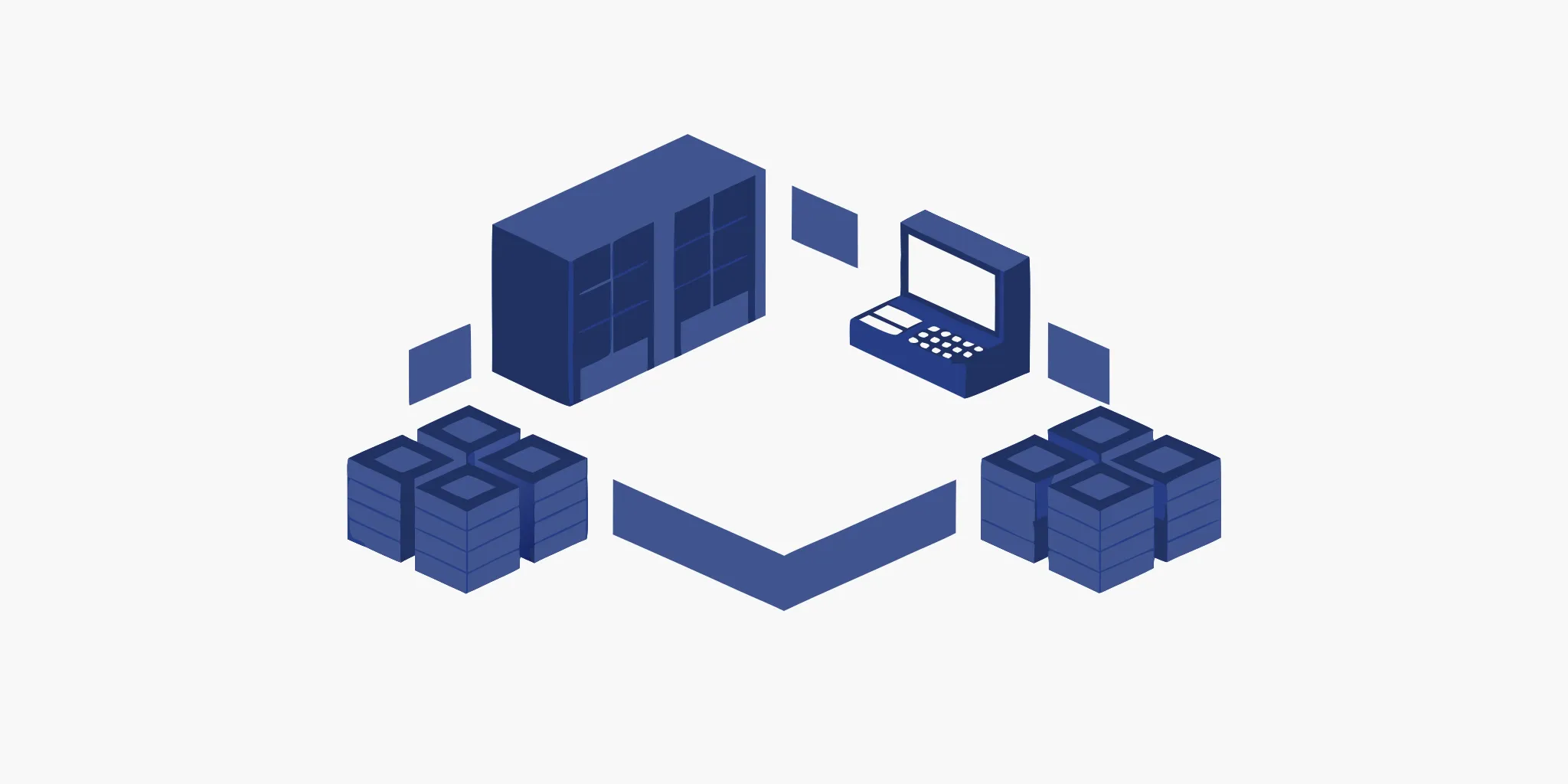


Think of your retail business as a central nervous system. For it to function properly, every part needs to communicate with the brain in real time. Your stores, website, warehouse, and customer service team are all vital limbs, but they can't work together effectively if they aren't connected. An ERP system acts as the brain, but it's the integration that creates the network allowing information to flow freely. This ensures every part of your business has the data it needs to act decisively. This is why erp integration services are so crucial for scaling retailers; they build that essential connectivity, transforming siloed departments into a single, cohesive operation.
If you run a retail business, you’re likely using a dozen different software tools to manage everything from sales and inventory to customer relationships and accounting. Your e-commerce platform, point-of-sale (POS) system, and warehouse software all hold critical data. The problem is, they often don’t speak the same language. This is where ERP integration services come in.
Think of an Enterprise Resource Planning (ERP) system as the central brain of your business operations. It’s designed to manage core functions like finance, supply chain, and manufacturing. However, an ERP system is most powerful when it’s connected to all the other applications you use. ERP integration services are the processes and tools that build bridges between your ERP and other software.
The goal is to create a seamless flow of information across your entire organization. Instead of manually entering online sales into your accounting software or updating inventory counts by hand, integration automates these tasks. This creates a single, reliable source of truth for your data, giving you a clear and accurate picture of your business at any moment. For retailers managing multiple locations, this unified view is essential for making smart decisions about everything from stock levels to staffing.
ERP integration isn’t a single product but a combination of methods and technologies working together. The core components are the tools that allow your different systems to communicate. One of the most common methods is API-led connectivity. An API, or Application Programming Interface, is a set of rules that lets software applications talk to each other. It acts as a messenger, securely transferring data between your ERP and another platform, like your CRM.
Another key component is an Integration Platform as a Service (iPaaS). This is a cloud-based solution that provides a central hub for building and managing your integrations without needing extensive custom code. You can also expect features like status tracking and error notifications, which alert you immediately if a data sync fails.
It’s easy to confuse having an ERP system with having an integrated one. An ERP system on its own is a powerful tool for centralizing data. However, without integration, that data can become isolated. ERP integration is the active process of connecting your ERP to other systems to ensure data flows freely between them. Its primary purpose is to break down data silos, which happen when information gets trapped within one department or application.
For example, if your e-commerce platform doesn’t share sales data with your inventory system in real time, you risk selling items that are out of stock. By integrating them, a sale made online automatically updates the inventory count in your ERP. This is how you move from simply collecting data to using it strategically. The success of an integration can even be measured by tracking key metrics, like a reduction in inventory holding costs.
If you’re running a retail business with multiple locations, you know how challenging it can be to keep everything in sync. When your point-of-sale system, e-commerce platform, and inventory software don’t talk to each other, you’re left with disconnected pockets of information. This creates inefficiencies that can slow down growth and hurt your bottom line. ERP integration is the solution that connects these disparate systems, creating a single source of truth for your entire operation.
Think of it as building a central nervous system for your business. Instead of data being stuck in separate departments, it flows freely where it’s needed, when it’s needed. This allows you to automate tedious tasks, make smarter decisions based on accurate data, and ultimately scale your business more effectively. Let’s look at a few key reasons why ERP integration is a game-changer for retailers.
When your sales, marketing, and inventory teams all work from different systems, you get what are known as "data silos." This is when crucial information is trapped in one department, unavailable to others who could use it to make better decisions. For example, your marketing team might be planning a promotion for a product that your inventory team knows is running low, but because the systems aren't connected, nobody realizes it until it's too late.
ERP integration tears down these walls. By connecting your core business systems, you ensure that everyone has access to the same real-time information. This unified view helps different parts of your business work together seamlessly, improving everything from demand forecasting to customer service. When data flows freely, you can make more strategic, coordinated decisions that benefit the entire company.
How much time do your employees spend manually transferring data from one system to another? Whether it’s moving sales figures from your POS to your accounting software or updating inventory counts from a spreadsheet, this work is not only time-consuming but also incredibly prone to human error. A single misplaced decimal or typo can lead to inaccurate financial reports, incorrect shipments, and unhappy customers.
ERP integration services automate the flow of information between your systems, which practically eliminates the need for manual data entry. When a customer places an order on your website, the sale is automatically recorded in your ERP, inventory levels are updated, and the information is sent to your accounting software without anyone having to lift a finger. This frees up your team to focus on more valuable tasks and ensures your data is consistently accurate.
For a multi-location retailer, knowing exactly what you have in stock and where it is located is non-negotiable. Without a clear, real-time view of your inventory, you risk stockouts that lead to lost sales or overstocking that ties up valuable capital. Trying to manage this across dozens or hundreds of stores with disconnected systems is a logistical nightmare.
ERP integration gives you a complete, up-to-the-minute picture of your inventory and sales across all channels. You can see what’s selling well in specific locations, identify slow-moving items, and make smarter purchasing decisions. This level of visibility is essential for effective inventory control and warehouse management. It also allows you to implement modern fulfillment strategies, like shipping from the nearest store, which can reduce shipping times and improve the customer experience.
Integrating your ERP system isn't just a technical update; it's a fundamental shift in how your retail business operates. Think of it as creating a central nervous system for your company, connecting every department and function in real time. When your e-commerce platform, point-of-sale (POS) systems, inventory management, and customer service tools all speak the same language, you move from running separate operations to managing a single, cohesive business. This alignment creates a ripple effect of positive changes, impacting everything from warehouse efficiency to the smile on a customer's face. The result is a more agile, informed, and profitable retail operation ready to handle the demands of a growing business.
One of the biggest challenges for retailers is working with conflicting data from different systems. Your sales team might see one number, while your inventory team sees another. ERP integration solves this by creating a single source of truth. It helps synchronize business functions to give every department simplified access to the same enterprise data. When a sale is made online or in-store, inventory levels are updated everywhere instantly. This eliminates the manual data entry that often leads to human error, ensuring that the information you use for forecasting, ordering, and financial reporting is always accurate and consistent. With reliable data, you can make smarter, more confident decisions for your business.
Today’s customers expect a seamless experience whether they shop online, in-store, or on a mobile app. An integrated ERP is the backbone of a successful multi-channel strategy. It breaks down the "data silos" that keep your different sales channels from working together. By connecting your systems, you gain a unified view of your entire operation, from inventory levels across all locations to customer purchase history. This allows you to offer popular services like "buy online, pick up in-store" without a hitch. Efficient logistics and distribution become much simpler when all your operational data flows through a central hub, making your supply chain more responsive and effective.
A happy customer is a loyal customer, and ERP integration plays a huge role in creating positive interactions. It connects your customer-facing systems, like your CRM, with back-end operations. This gives your customer service team a complete 360-degree view of every customer. When someone calls with a question, your team can instantly see their entire order history, shipping status, and previous interactions without switching between multiple applications. This leads to faster resolutions and a more personalized customer experience. When you can anticipate a customer's needs and solve their problems efficiently, you build trust and encourage repeat business.
By automating processes and providing clear visibility into your operations, ERP integration directly impacts your bottom line. Automating tasks like order processing and invoicing reduces the need for manual labor, freeing up your team to focus on more strategic initiatives. Accurate, real-time inventory data helps you optimize stock levels, reducing carrying costs and minimizing lost sales from stockouts. Furthermore, tracking the right ERP KPIs and metrics gives you the power to spot inefficiencies early. You can identify slow-moving products, streamline supply chain bottlenecks, and make data-driven decisions that improve overall profitability.
Once you decide to connect your ERP with other business systems, the next question is how. There isn’t a single right answer, as the best approach depends on your company’s specific needs, technical resources, and budget. Think of it like building a bridge; you can use different materials and designs depending on the distance you need to cover and the amount of traffic you expect. The goal is to create a stable, reliable connection that allows data to flow freely where it’s needed most.
Choosing the right integration method is crucial for creating a system that can grow with your business. Some methods are quick and simple for connecting just two applications, while others are designed to act as a central hub for a complex network of software. Understanding these core approaches will help you have a more productive conversation with your IT team or integration partner. Let’s walk through the most common methods retailers use to link their systems.
Think of an API (Application Programming Interface) as a translator that allows two different software systems to speak to each other. API-led connectivity uses these pre-built communication channels to create direct, real-time links between your ERP and other platforms. This method is highly flexible and scalable, making it a popular choice for modern businesses. Instead of building a connection from scratch, developers can use the API to securely request and share data in a standardized way. This approach is great for creating a nimble tech stack where you can easily add or swap out applications as your needs change.
An Integration Platform as a Service (iPaaS) is a cloud-based tool that simplifies the entire integration process. These platforms act as a central command center for connecting your applications, offering pre-built connectors and visual workflows that reduce the need for custom coding. Using an iPaaS solution can significantly speed up deployment and lower the technical barrier for your team. It’s an excellent option if you need to connect multiple cloud-based systems (like your ERP, CRM, and e-commerce platform) and want a user-friendly way to manage all those data flows from a single dashboard.
Point-to-point integration is the most direct method: a developer writes custom code to connect two applications directly. This approach can be effective and relatively simple if you only need to link a couple of systems. For example, you might create a point-to-point connection between your ERP and your primary e-commerce site. The challenge, however, arises when you add more software. Each new system requires another custom-built connection, leading to a complex and tangled web that becomes difficult to manage, update, and troubleshoot. This method doesn’t scale well for growing retail operations.
An Enterprise Service Bus (ESB) acts as a central hub or "middleman" in your software architecture. Instead of connecting systems directly to each other, each application connects to the ESB. The ESB then manages the communication, transforming and routing data between the appropriate systems. This model simplifies the integration landscape, as you only need to manage one connection for each application (to the ESB) rather than multiple point-to-point links. While traditionally an on-premise solution requiring significant investment, an ESB provides a robust and centralized way to handle complex integrations across a large organization.
Beyond the specific method, you’ll also need to consider where your systems are hosted. On-premise integration involves connecting systems that run on your own local servers, giving you complete control over your data and infrastructure. Cloud integration connects applications that are hosted by third-party providers. Many retailers today use a hybrid approach, integrating on-premise legacy systems with newer cloud-based applications. While cloud solutions offer fantastic accessibility and scalability, they also require careful planning to ensure data is synced securely and accurately across different environments.
An ERP system acts as your business's central hub, but it's most powerful when connected to the other software that runs your daily operations. Integrating these systems allows data to flow freely between departments, creating a single source of truth that informs every decision and automates critical workflows. This connectivity is what transforms your ERP from a simple database into a strategic asset that helps you reduce manual errors and give your teams the real-time information they need. Think of it as creating a digital nervous system for your entire retail operation, where every part communicates seamlessly with the others. For retailers managing multiple locations and complex supply chains, this isn't just a nice-to-have; it's essential for staying competitive and scaling effectively. When your systems are integrated, you eliminate the time-consuming process of exporting data from one platform and importing it into another. This not only saves time but also drastically reduces the risk of human error, ensuring the data you rely on is always accurate and up-to-date. Here are the most important systems to connect to achieve a truly unified retail operation.
Connecting your e-commerce platform and in-store point-of-sale (POS) systems to your ERP is a must for modern retailers. This integration unifies your sales channels, so when a customer buys a product online or in-store, the order automatically flows into your ERP for fulfillment. Inventory levels update in real time across all locations, which prevents you from selling out-of-stock items. This gives you a complete and accurate picture of sales data, which is essential for making smart business decisions and achieving operational efficiency as you grow. It also means your financial reporting is more accurate, as sales and revenue data are consolidated automatically.
Your Customer Relationship Management (CRM) system is where you track customer interactions. Syncing it with your ERP combines that data with purchase history and order status, giving your teams a complete view of every customer. Instead of switching between systems, your team can access all the information they need in one place to resolve issues quickly and provide personalized service. This direct link is fundamental to the kind of project management and customer service that builds long-term loyalty and keeps your customers happy. It empowers your staff to have more meaningful conversations, turning a simple support call into an opportunity to strengthen the customer relationship.
Accurate inventory is everything in retail. Integrating your warehouse management system (WMS) with your ERP provides real-time visibility into your stock, from the distribution center to the store shelf. This connection is vital for preventing costly stockouts and avoiding overstock situations that tie up your capital. With an integrated system, you can automate reordering and track shipments more effectively, ensuring products are in the right place at the right time. This level of inventory control and warehouse management is essential for supporting multi-location rollouts smoothly and keeping your promises to customers.
Don't forget your back-office operations. Integrating your human resources and payroll software with your ERP streamlines administrative work. This connection automates the flow of employee data, making payroll, benefits, and time tracking much more efficient and accurate. It eliminates duplicate data entry, which reduces errors and frees up your HR team to focus on more strategic initiatives instead of manual tasks. For a growing retail business, a centralized system for managing employee information is key to maintaining an effective workforce and ensuring your team feels supported as you scale.
Bringing all your retail systems together with an ERP is a game-changer, but let's be honest, the process isn’t always a walk in the park. It’s a major project that requires careful planning to get right. When you’re connecting complex systems that handle everything from inventory to customer data, you’re bound to hit a few bumps in the road. The good news is that these challenges are well-known, and with the right strategy, you can prepare for them ahead of time.
Thinking through these potential hurdles from the start helps you create a more realistic timeline, set a practical budget, and choose the right partners to guide you through the process. From wrestling with outdated software to making sure your data is secure, understanding the common obstacles is the first step toward a smooth and successful integration. Let’s look at some of the most frequent challenges retailers face and how you can start thinking about them.
Many established retailers run on legacy systems that have been reliable for years. The problem? These older platforms often don't speak the same language as modern ERP software. Trying to connect them can feel like fitting a square peg in a round hole. This is a major hurdle because your legacy systems might hold critical historical data you can't afford to lose. The integration process often requires custom connectors or middleware to bridge the gap, which can add complexity and cost to the project. Before you begin, it's essential to audit your existing tech stack to identify which systems will need special attention.
Imagine you have two systems: your e-commerce platform calls a customer a "shopper," while your CRM calls them a "contact." Now, try to make them share data. This is the core challenge of data mapping. It’s the process of translating data from one system so another can understand it. Inconsistencies in how data is named, formatted, and stored across your business can lead to errors, duplicate records, and unreliable reports. Getting data mapping right is crucial for ensuring the information flowing through your new, integrated system is accurate and consistent. This step often requires a meticulous data cleansing process before the integration even begins.
An ERP integration is a significant investment, and costs can quickly add up beyond the initial software license. You also have to account for implementation services, data migration, employee training, and potential customizations. For many retailers, sticking to a budget is a major concern. Beyond the financial investment, these projects also demand a lot of time from your internal team. Pulling key employees away from their daily responsibilities can strain resources and slow down progress. That's why creating a detailed budget and project plan from the outset is so important for keeping your integration on track without disrupting your core business operations.
When you connect different systems, you create new pathways for your data to travel. This makes it absolutely critical to prioritize security from day one. As a retailer, you handle sensitive customer information, including payment details, which means you must adhere to strict regulations like the Payment Card Industry Data Security Standard (PCI DSS). A failure to secure your integrated systems can expose you to data breaches, which can lead to hefty fines and, more importantly, a loss of customer trust. Your integration strategy must include robust security measures, like data encryption and access controls, to protect your business and your customers.
Choosing the right ERP integration strategy is one of the most important business decisions you'll make. It’s not just about the technology; it’s about creating a blueprint for how your entire retail operation will run more efficiently. The best approach depends on your specific goals, your current systems, and your budget. A well-thought-out strategy is the foundation for a smooth implementation that minimizes disruption and maximizes your return on investment. It’s about finding the right balance between your immediate needs and your long-term vision for growth.
Before you even look at software demos, take a step back and map out your path. What specific problems are you trying to solve? Are you aiming for better inventory accuracy, a unified view of the customer, or more streamlined supply chain management? Getting clear on these objectives is the first step. A solid strategy will guide your decisions, keep your team aligned, and help you avoid common pitfalls that can derail an integration project. By focusing on the key areas below, you can build a plan that sets your business up for success from day one.
Before you can plan for the future, you need a clear picture of your present. Start by taking a detailed inventory of all the software and systems you currently use. This includes your e-commerce platform, point-of-sale (POS) systems, customer relationship management (CRM) software, and any other tools that are essential to your daily operations. Experts always look at your current systems to figure out what needs to be connected. This initial audit helps you understand how data flows through your business and identify any existing bottlenecks or inefficiencies. It’s a critical first step to ensure your new ERP system will work seamlessly with the technology you already rely on.
As you plan your integration, it’s tempting to customize the ERP to fit your current processes perfectly. However, be careful not to paint yourself into a corner. If you overly customize your ERP, it can become difficult to implement updates or add new solutions later on without causing major disruptions. Think about where your business is headed in the next five to ten years. Your integration strategy should support that growth. Balancing customization with scalability is key. You need a system that is flexible enough to handle your unique needs today while being robust enough to adapt as your business evolves and faces new scalability issues.
You have two main options for rolling out your new ERP system: a phased approach or a full, "big bang" implementation. With a full implementation, you switch over to the new system all at once. This can be faster, but it's also riskier if something goes wrong. A phased approach involves rolling out the ERP in stages, perhaps by department or location. This method is slower but gives your team time to learn and adapt, reducing the risk of major operational hiccups. Whichever path you choose, it’s wise to plan the integration during slower business periods and always have a solid backup plan in place.
The success of your ERP integration heavily depends on the partner you choose to work with. You need more than just a tech provider; you need a strategic partner who understands the retail industry inside and out. Look for a provider who has a proven track record with businesses like yours. A great partner will take the time to understand your unique challenges and goals, offering tailored solutions instead of a generic plan. They should be able to connect all your important systems and provide flexible integration options. Strong project management and customer service are non-negotiable, as they ensure your project stays on track and on budget.
An ERP integration is a significant undertaking, but it doesn’t have to be a painful one. With the right approach, you can set your project up for a smooth rollout and long-term success. Following a few established best practices helps manage complexity, keep your team aligned, and ensure you get the full value from your investment. It’s all about being methodical and putting your people and your data first. This approach ensures that from your supply chain to your storefront, every part of your operation works in harmony, creating a seamless experience for both your team and your customers.
Before you connect a single system, you need a solid plan. Think of this as the architectural blueprint for your entire integration project. A clear plan outlines which systems you need to connect, the order of priority, and the rules for how they will share information. Getting everyone on the same page from the start prevents confusion and costly rework later. This initial step ensures your project management is effective and that the integration directly supports your business goals. It keeps the project focused and on track from day one, preventing scope creep and ensuring every decision moves you closer to a more efficient, connected retail operation.
Your ERP system is only as good as the data inside it. That’s why making data quality a top priority is non-negotiable. Before you begin, decide which system will serve as the single source of truth for different types of data, like customer information or inventory levels. Assign clear ownership for maintaining data accuracy and establish standards for how data is named and formatted across all platforms. Taking the time to cleanse and standardize your data ensures your decisions are based on reliable information, not digital clutter. This foundational work prevents errors and builds trust in the new system across your entire organization.
Thorough testing is your best defense against launch-day surprises. This goes beyond just making sure the software doesn’t crash. You need to validate every part of the integration, from data accuracy and process flows to error handling and system performance under pressure. Most importantly, involve your end-users in the testing process. Your team members who will use the system daily are the best people to spot workflow issues or functional gaps that developers might miss. Their feedback is invaluable for fine-tuning the system before it goes live across the company, ensuring it’s not just functional but also practical for day-to-day use.
A new ERP system changes how people work, so preparing your team is just as important as preparing the technology. Effective training is key to user adoption. Go beyond just showing people which buttons to click; explain how the new, integrated system benefits their roles and the company as a whole. When employees understand the "why" behind the change, they are more likely to embrace it. Plan for comprehensive training sessions before launch and make sure you have ongoing support available to help your team feel confident and capable with the new tools. This investment in your people pays off with a smoother transition and better long-term results.
The world of ERP integration isn't standing still. As technology evolves, so do the strategies and tools available to connect your business systems. Staying on top of these trends is more than just keeping up with the latest tech buzzwords; it’s about finding new ways to create a more efficient, insightful, and secure retail operation. A smarter back-end system directly supports a better front-end customer experience, ensuring your stores have the right products at the right time and your teams have the data they need to make smart decisions.
As you plan your integration strategy, it’s helpful to understand the major shifts happening in the industry. Three key trends are shaping the future of ERP integration for retailers: the rise of artificial intelligence, the move toward more flexible, composable systems, and an ever-growing focus on security. Each of these trends offers a unique opportunity to refine your operations, better understand your customers, and build a more resilient business that’s ready for whatever comes next. Let’s look at what these trends mean for you.
Artificial intelligence and machine learning are no longer just concepts from science fiction; they are becoming practical tools within ERP systems. Instead of simply collecting data, modern ERPs can now analyze it to uncover patterns, predict future demand, and even automate complex decisions. For retailers, this means more accurate inventory forecasting, which helps prevent stockouts and reduces overstock. These technologies are enhancing data analysis capabilities, allowing you to personalize marketing campaigns and improve the overall customer journey by anticipating their needs.
The one-size-fits-all approach to ERP is becoming a thing of the past. The trend toward a composable ERP is all about flexibility. Instead of relying on a single, massive system, retailers can now build a custom solution by integrating various best-of-breed applications that fit their specific needs. This "mix-and-match" strategy allows you to choose the best tool for each job, whether it's for e-commerce, inventory management, or customer service. This flexibility enables retailers to adapt quickly to changing market demands without having to replace their entire infrastructure.
As more retail operations move to the cloud and data becomes more centralized, security has become a top priority. A data breach can be devastating for both your finances and your brand’s reputation. Because of this, there is a greater focus on advanced security measures and compliance with regulations like GDPR and CCPA. Modern ERP integration strategies must include robust security protocols, such as data encryption and strict access controls, to protect sensitive customer information. Ensuring your system is secure isn’t just an IT task; it’s a fundamental part of building and maintaining customer trust.
An ERP integration is a major investment of time and resources, so you need a clear way to measure its return. Success isn’t just about flipping a switch and hoping for the best. It’s about setting clear goals from the start and continuously tracking your progress against them. By measuring the impact of your integration, you can prove its value, identify areas for improvement, and make sure the system continues to support your business as it grows.
This process doesn't have to be complicated. It starts with defining what success looks like for your retail operations and then using data to see if you’re hitting those targets. Are you trying to speed up order fulfillment? Reduce inventory carrying costs? Eliminate manual errors in reporting? Whatever your objectives, having a solid measurement plan ensures you can hold the project accountable to its original goals. With the right approach, you can ensure your ERP integration delivers meaningful, long-term benefits that strengthen your entire business, from the back office to the sales floor. This isn't just about justifying the initial cost; it's about creating a framework for continuous improvement that keeps your operations lean and competitive.
Before you can measure success, you have to define it. Key Performance Indicators (KPIs) are the specific, measurable metrics you’ll use to track whether your ERP integration is delivering on its promises. Think of them as the signposts that tell you if you’re on the right track. Your goal is to choose KPIs that directly reflect the business challenges you’re trying to solve, like reducing operational costs or improving efficiency.
For retailers, relevant KPIs might include inventory turnover rate, order fulfillment time, or a reduction in data entry errors. Tracking the right ERP KPIs and metrics helps you spot problems early and make better decisions. If a key metric isn’t improving, you’ll know exactly where to focus your attention.
Once your integration is live, the work isn’t over. Continuous monitoring is essential for making sure the system performs as expected and adapts to your changing needs. Many modern ERP systems allow you to set up automatic tracking, giving you a real-time dashboard of your most important metrics. This constant flow of information helps you keep an eye on everything from production output to quality control without getting bogged down in manual reports.
Regularly analyzing this data allows you to identify trends, patterns, and potential issues before they become major problems. For example, you might notice that a specific process is taking longer than it should or that data from one system isn’t syncing correctly. This insight allows you to make targeted adjustments and optimize your business processes for better performance.
A successful ERP integration is a long-term partnership, not a one-time project. Your business will evolve, and your technology needs to evolve with it. Planning for ongoing support and maintenance ensures your system remains effective, secure, and aligned with your organizational goals for years to come. This includes regular system updates, user training, and periodic reviews of your KPIs to confirm you’re still on track.
By embedding your KPIs into every phase of the project, you empower your teams to make data-driven decisions that deliver real business value. Measuring the success of your ERP implementation is critical to ensuring the project meets your goals, both now and in the future. It transforms your ERP from a simple software tool into a strategic asset that supports sustainable growth.
What's the first practical step I should take to get started with ERP integration? Before you even think about software, start by mapping out your current processes. Grab a whiteboard and trace how information moves through your business right now, from a customer placing an order to the item shipping from your warehouse. This exercise will quickly show you where the bottlenecks and manual data entry points are. This map becomes your guide for identifying which systems need to be connected first to give you the biggest impact.
Do I need a big IT department to handle an ERP integration? Not necessarily. While having technical staff helps, many businesses successfully manage integrations by working with a specialized partner. These partners bring the technical expertise and project management skills needed to guide the process. An Integration Platform as a Service (iPaaS) can also simplify things by providing user-friendly tools that reduce the need for custom coding, making the project more manageable for a smaller team.
How can I make sure this project doesn't go way over budget? The key to staying on budget is detailed planning. Before you start, create a comprehensive plan that accounts for all potential costs, including software licenses, implementation fees, data migration, and employee training. It's also smart to build a contingency fund, maybe 10 to 15 percent of the total budget, to cover unexpected issues. A phased implementation, where you roll out the system in stages, can also help you manage costs more effectively over time.
How do I get my team on board with such a big change? The best way to get buy-in is to involve your team from the beginning. Ask them about their daily frustrations and show them how an integrated system will solve those specific problems, like eliminating tedious data entry or giving them instant access to customer information. Focus your training on the "why" behind the change, not just the "how." When your team understands how the new system makes their jobs easier, they'll be much more likely to embrace it.
What's the biggest difference between a point-to-point connection and using something like an iPaaS? Think of it this way: a point-to-point connection is like building a separate, custom bridge for every two locations you want to connect. It works fine for a couple of systems, but it quickly becomes a tangled mess that's hard to maintain as you grow. An iPaaS, on the other hand, is like building a central airport. Every system connects to the central hub, which makes it much easier to manage, monitor, and add new connections in the future.
Subscribe for expert insights on fixture design, materials, and modern retail environments.