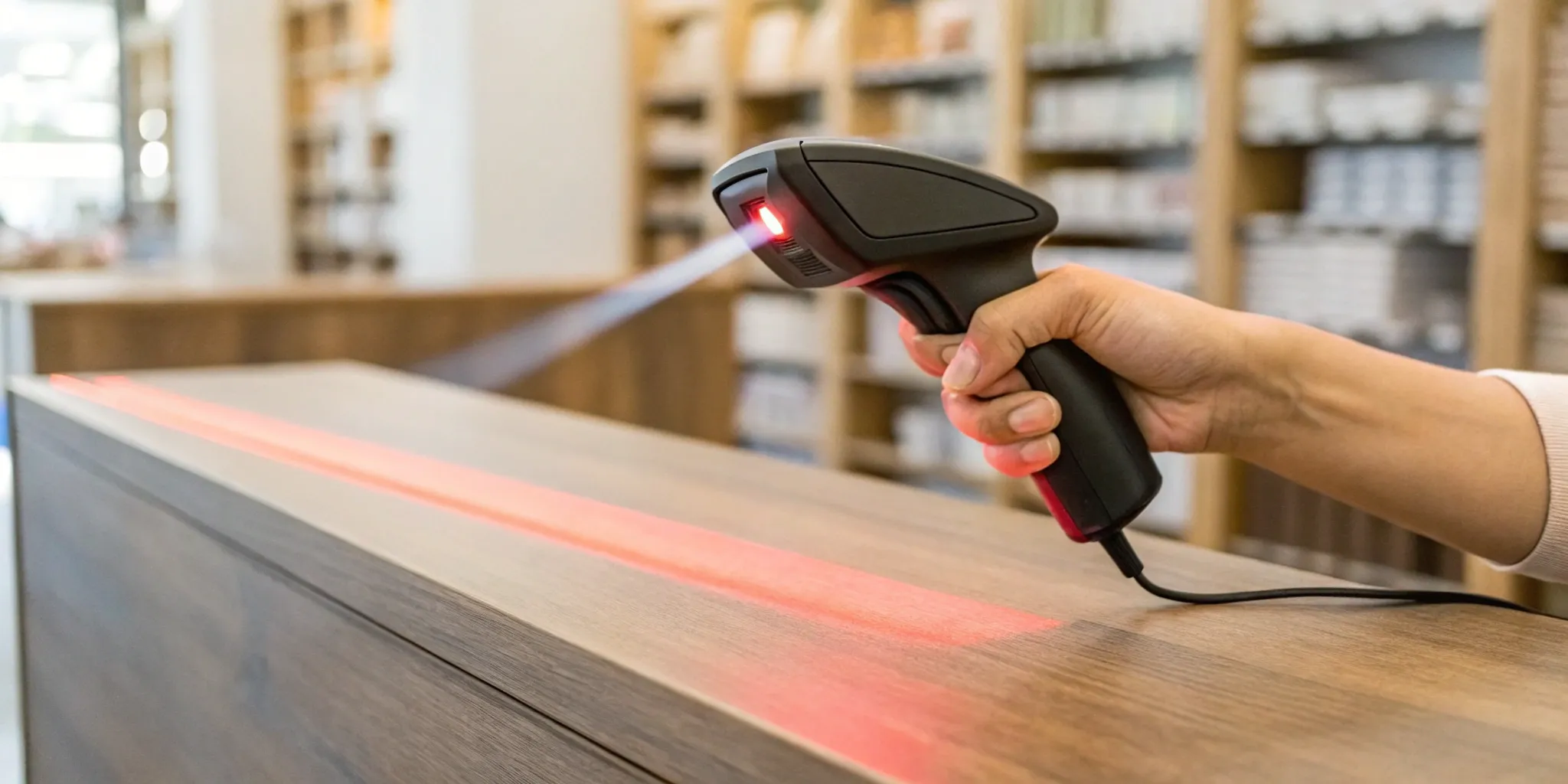


When you think about barcodes, you probably picture the quick beep at the checkout counter. While that speed is a key benefit, the true power of barcode labeling goes much deeper. Every scan is a data point, and over time, those data points create a detailed picture of your business. You can see which products are flying off the shelves, identify sales trends across different regions, and make smarter decisions about purchasing and promotions. A solid barcode labeling strategy transforms a simple operational tool into a source of valuable business intelligence. In this post, we’ll explore how to leverage this technology to not only streamline your workflow but also gain the insights needed to stay ahead.
At its core, barcode labeling is a system for encoding product information into a scannable format of bars, spaces, and characters. Think of it as a unique fingerprint for every item in your store. When scanned, that fingerprint instantly tells your point-of-sale (POS) or inventory system everything it needs to know: the product name, price, and stock number. This simple scan makes it much faster to ring up items at checkout or track inventory in your warehouse.
But the real value goes far beyond speed. A solid barcode system is the backbone of a successful retail environment. The major business benefits include accuracy, inventory control, and cost savings. By replacing manual data entry with a quick scan, you drastically reduce human error, which means fewer pricing mistakes and more accurate stock counts. This level of control is essential for managing a few locations or a few hundred. It’s the kind of operational excellence that allows you to focus on the bigger picture, like creating amazing customer experiences with well-designed custom retail fixtures. Without barcodes, you’re essentially flying blind, relying on guesswork for critical business decisions.
A well-implemented barcode system is your key to smoother day-to-day operations. Every scan provides a real-time update to your inventory records, giving you an accurate, up-to-the-minute picture of what you have in stock and where it is. This improved data management helps you avoid the frustrating and costly problems of overstocking or running out of a popular item. Instead of reacting to inventory issues, you can proactively manage your stock levels. This prevents the kind of operational headaches that can slow down business, like dealing with outdated systems or constant printer maintenance, which ultimately get in the way of serving your customers effectively.
The efficiency of barcode labeling extends well beyond the checkout counter. It streamlines your entire supply chain, from the moment a shipment arrives at your warehouse to the final sale. With a simple scan, your team can receive new products, manage stockroom organization, and process returns with speed and accuracy. This creates faster workflows and leads to fewer errors across the board. As technology evolves, so do barcodes. Many retailers are moving from traditional 1D barcodes to 2D versions, like QR codes, which can hold significantly more information. This transition allows for enhanced data capacity and even better inventory visibility, giving you deeper insights to run your business smarter.
When you think of a barcode, you probably picture the classic series of black and white lines. But that’s just one type. Barcode technology has evolved, and today there are several different formats, each designed for a specific purpose. The two main categories you’ll encounter are linear (1D) and 2D barcodes. Choosing the right one for your products and operations depends on how much information you need to store and how you plan to use it. Let's break down the most common types you'll see in retail.
Linear barcodes, also known as 1D barcodes, are the traditional striped codes you see on most products. They hold a small amount of text data, which is perfect for identifying products at checkout. The most common one in North American retail is the UPC (Universal Product Code). These 12-digit codes are the standard for tracking trade items in stores. Its international cousin is the EAN (European Article Number), which functions similarly but uses 8 or 13 digits. For internal logistics, many retailers rely on Code 128. This high-density barcode can encode both letters and numbers, making it ideal for labeling shipping cartons and managing inventory within your supply chain.
Unlike their one-dimensional counterparts, 2D barcodes use squares, dots, and other patterns to store information both horizontally and vertically. This allows them to hold significantly more data. You’re likely most familiar with QR Codes, which can be scanned with any smartphone. They’re fantastic for marketing because they can link customers directly to your website, a product video, or a special promotion. Another powerful 2D option is the Data Matrix code. These are very compact and can hold a large amount of information in a small space, making them a popular choice in manufacturing and logistics for tracking small parts or assets throughout their lifecycle.
Beyond the standard formats, many industries have adapted barcodes for specific, critical functions. In healthcare, for example, barcodes are used to track patient information and medication, which helps ensure safety and accuracy. For retailers, the most relevant applications are found in logistics and inventory management. Barcodes are the backbone of an efficient warehouse, helping you track shipments and manage stock levels with precision. You can also use specialty barcodes within your stores for more than just price lookups. Think asset tags on your custom fixtures, promotional labels for temporary sales, or even employee ID badges to manage access and timekeeping.
Implementing a barcode system might seem like a small operational tweak, but for a multi-location retail business, it’s a game-changer. These simple black-and-white lines do more than just identify products; they create a ripple effect of efficiency that touches every part of your business, from the stockroom to the sales floor. By automating key processes, you can reduce errors, make smarter decisions, and ultimately create a better experience for your customers and your team. Let's look at the specific ways barcode labeling can make a real difference.
Manual inventory counts are a recipe for human error, leading to stock discrepancies that cost you money. Barcode labeling replaces tedious guesswork with precision. Every scan provides real-time inventory updates, giving you a consistently accurate picture of what’s in stock, what’s selling, and what needs to be reordered. For retailers managing multiple locations, this level of accuracy is crucial. It allows you to prevent stockouts on popular items and avoid tying up capital in slow-moving products. With a clear view of your inventory across the entire chain, you can manage your assets more effectively and ensure every store has what it needs to meet customer demand.
Long lines at the checkout counter are a major source of customer frustration. Barcode systems are designed to speed up the checkout process and keep things moving. A quick scan is far faster and more accurate than manually entering product codes or prices, which drastically reduces the chance of costly errors. This efficiency not only improves the customer experience but also frees up your staff to focus on more valuable tasks, like assisting shoppers. For large-scale retailers, this streamlined process ensures consistency across all locations, creating a reliable and professional experience that customers can count on every time they shop with you.
Your barcodes are more than just labels; they are powerful data collection tools. Every time an item is scanned—at receiving, during checkout, or for a return—you capture a valuable piece of information. Over time, this data paints a detailed picture of your business performance. You can easily track sales trends, identify your best-selling products, and understand purchasing patterns across different regions or stores. These valuable insights allow you to make smarter, data-driven decisions about everything from marketing promotions to product assortment and inventory management, helping you stay ahead of the competition.
Ultimately, the accuracy and efficiency gained from barcode labeling translate directly to your bottom line. By minimizing inventory errors, you reduce losses from overstocking and stockouts. Faster, error-free checkouts improve labor productivity and prevent revenue leakage from incorrect pricing. The data you collect helps you invest in inventory that sells, maximizing your return on investment. Even small details, like ensuring high-quality labels to avoid scanning issues, contribute to more efficient operations. When you add up these benefits across dozens or hundreds of stores, the cost savings become significant, proving that a solid barcode system is a smart financial decision.
Picking a barcode solution isn't just about buying a printer and some labels. It's a strategic decision that impacts everything from your checkout speed to your inventory accuracy. The right system can streamline your operations, while the wrong one can create bottlenecks and frustration for your team and customers. Before you start comparing software or printers, take a step back and think about the big picture. How will this system support your business goals? Are you trying to reduce shrinkage, speed up receiving, or get better data on product performance?
A well-thought-out labeling system is a foundational piece of a successful retail environment, ensuring every product is tracked accurately from the warehouse to the customer's hands. This level of operational detail is what sets successful multi-location businesses apart. Managing a rollout of a new system across dozens or hundreds of stores requires careful planning, which is where expert project management and customer service becomes invaluable. The following points will walk you through the key considerations to help you find a solution that fits your needs, your budget, and your plans for the future.
Start by mapping out exactly what you need your barcodes to do. Are they purely for scanning at the point of sale, or will you also use them for warehouse management, tracking returns, or even marketing promotions? Different goals often require different types of barcodes. A standard UPC is perfect for retail products, but you might use a QR code on a point-of-purchase display to direct customers to your website. Understanding your specific use cases is the first step. This initial assessment ensures you don't overinvest in features you won't use or, worse, choose a system that can't handle your most critical tasks.
A barcode is only useful if it can be scanned, which means the label itself has to hold up. Think about your products and the environment they will be in. Will they be stored in a freezer, exposed to moisture, or handled frequently by customers? The material and adhesive you choose are critical. You can find a variety of barcode labels with various glues, from easily removable ones for delicate items to heavy-duty adhesives for industrial environments. Choosing the right label for the job prevents smudging, peeling, and scanning errors, saving you time and money on re-labeling and troubleshooting down the line.
Your new barcode labeling solution needs to integrate smoothly with the technology you already have. Before you commit, verify that the software and hardware are compatible with your existing point-of-sale (POS) system, inventory management software, and any other platforms you rely on. Outdated operating systems or incompatible scanners can bring your operations to a halt, creating major headaches for your team. Ask potential providers about their integration process and check for case studies with businesses that use similar systems to yours. A solution that works seamlessly with your current tech stack will make the transition much easier and prevent costly disruptions across your locations.
When evaluating costs, look beyond the price of the printer. Consider the total cost of ownership, which includes the labels themselves, ink or ribbons, software subscriptions, and potential maintenance. It's also smart to think about the future. Will this system scale with you as you add new product lines or open more stores? Investing in a slightly more robust system now can save you from a costly and complicated migration later. Planning for growth ensures your barcode solution can support your business not just today, but for years to come, making it a sound long-term investment in your operational efficiency.
Switching to a barcode system is a fantastic move for streamlining your operations, but let’s be real—it’s not always as simple as print-and-scan. Like any major operational shift, implementing a barcode system across multiple locations comes with its own set of potential hurdles. From finicky scanners to software that won’t play nice with your existing tech, these issues can cause major headaches if you’re not prepared.
The good news is that these challenges are completely manageable with a bit of foresight. By understanding the common pitfalls before you start, you can create a clear plan to address them. Let’s walk through the most frequent issues retailers face and, more importantly, the practical steps you can take to solve them.
The whole point of a barcode system is to have clean, reliable data. When scans fail, you’re left with inaccurate inventory counts and checkout errors, which defeats the purpose. Most scanning errors aren’t the scanner’s fault; they’re caused by the label itself. Issues like poor print quality, smudging, low contrast between bars and spaces, or even placing the label on a curved surface can make it unreadable. To keep your data clean, start with a quality-first approach. Invest in a good thermal printer and durable labels, and establish clear guidelines for how and where labels should be applied to products. Regular barcode verification checks can also help you catch and fix printing issues before they affect your entire inventory.
Your retail environment isn’t a sterile lab. Stockrooms can be dusty, warehouses can have dim lighting, and products on the sales floor are handled constantly. These environmental factors can wreak havoc on barcode labels and scanners. A label that gets smudged, torn, or faded becomes useless. To combat this, choose the right materials for the job. Use synthetic labels for items that might be exposed to moisture or friction. For challenging settings like a busy warehouse, consider investing in rugged scanners built to withstand drops and read barcodes from a distance. Ensuring your labels are printed with high contrast will also make them much easier to scan in various lighting conditions.
You’ve already got a point-of-sale (POS) system, inventory management software, and other tools that keep your business running. Your new barcode system needs to integrate seamlessly with this existing tech stack, but that’s often easier said than done. You might run into issues with outdated operating systems that aren’t compatible with new software or find that your old 1D scanners can’t read the 2D barcodes you want to use. Before you commit to a solution, conduct a thorough audit of your current systems. Work with a provider who can demonstrate successful integrations with retailers like you and plan for any necessary hardware or software upgrades in your budget from the start.
A new system is only as effective as the people who use it every day. Rolling out a barcode system without a solid plan for your team is a recipe for frustration. Two of the biggest hurdles here are the initial investment and proper training. It’s important to frame the cost not as an expense, but as an investment that will pay off in time saved and errors reduced. More importantly, you need to equip your staff for success. Develop a simple, hands-on training program that shows them exactly how to use the new tools. Designate a few tech-savvy "champions" at each location who can help their colleagues and provide ongoing support.
Once you have a plan, you’ll need the right gear to bring your barcode system to life. Putting together an effective labeling toolkit involves more than just a printer; it’s about creating a seamless process from generating a code to making sure it scans perfectly every time. Your setup will depend on your scale and specific needs, but every great system is built on four key components: software, printers, scanners, and the labels themselves. Getting these pieces right from the start will save you countless headaches and operational slowdowns later on.
First, you need a way to create your barcodes. Barcode generation software translates your product information into a scannable format. For smaller projects or simple tasks, a free online tool can work perfectly for creating barcodes for product tags, marketing materials, or shipping labels. As your operations grow, you’ll likely want software that integrates directly with your inventory management or point-of-sale (POS) system. This allows you to automatically generate unique barcodes for new products as they’re added to your catalog, ensuring consistency and reducing the chance of human error across all your locations.
Next, you need to print your labels. The type of printer you choose will depend on your label volume and durability needs. Most businesses use dedicated label printers that rely on either Direct Thermal or Thermal Transfer technology. Direct Thermal printers use heat to create the image on the label and are great for short-term applications like shipping labels. For product labels that need to last, Thermal Transfer printers are the better choice. They use a ribbon to create a durable image that won’t fade over time. You can find a wide variety of barcode labels designed for either printing method.
To make your barcodes useful, you need a way to read them. Barcode scanners come in many forms, from simple handheld units at the checkout counter to more complex systems used for warehouse inventory. But just because a scanner can read your barcode doesn’t mean every scanner can. That’s where verifiers come in. A barcode verifier is a specialized device that grades the quality of your printed labels against official standards. It helps you catch common barcode verification challenges like low contrast or smudging before your products hit the supply chain, ensuring they scan reliably for everyone.
The physical label is just as important as the code printed on it. The material and adhesive you choose should match your product and its environment. A standard paper label might be fine for a book, but a beverage in a cold case needs a water-resistant label that won’t peel or smudge. You can typically choose from materials like premium paper, water-resistant synthetics, and weatherproof vinyls to match your product's needs. The adhesive is also critical—it needs to stick securely to different surfaces like cardboard, plastic, or glass without damaging the product or falling off during shipping and handling.
Creating a barcode is just the beginning. To truly streamline your operations, you need labels that are designed, tested, and maintained for flawless performance. Think of your barcode labels as a critical component of your entire operational infrastructure—just as important as your shelving or point-of-purchase displays. When they work correctly, inventory flows smoothly, checkouts are fast, and data is accurate. When they fail, you’re left with frustrating bottlenecks and costly errors.
Getting your labeling right requires a thoughtful process that covers design, creation, testing, and compliance. It’s about building a reliable system that supports your business from the warehouse to the sales floor. By focusing on creating effective and durable labels, you’re making a direct investment in operational efficiency and customer satisfaction. This attention to detail is a hallmark of successful retail environments and a key part of a comprehensive quality control strategy. Let’s walk through how to get it right.
A barcode that won’t scan is a major headache. To avoid this, start with a clear and simple design. The most important rule is to use a high-contrast color scheme—black bars on a white background is the universal standard for a reason. Avoid printing black bars on dark colors or using light-colored bars, as most scanners won’t be able to read them. Also, be sure to include a "quiet zone," which is the blank space on either side of the barcode. Without this buffer, scanners can struggle to identify the code. Finally, consider the label material itself. A standard paper label won’t survive on a product stored in a freezer, so choose a material that can withstand its intended environment.
Once you have your design principles down, creating the label is a straightforward process. First, choose the right type of barcode for the job. Linear barcodes like UPCs are standard for product identification and inventory, while 2D barcodes like QR codes are great for marketing because they can store more information and be scanned by smartphones. Next, use barcode generation software to create the unique code for each product. From there, design the full label layout, including the scannable barcode, the human-readable number below it, and any other necessary product information. Always print a small test batch and confirm the labels scan perfectly before committing to a full production run.
Don’t just print your labels and assume they work. Proactive testing is essential to catch issues before they disrupt your supply chain. Common problems include poor print quality, smudging, low contrast, or incorrect sizing and placement. While a standard scanner can tell you if a barcode is readable, a barcode verifier is a specialized tool that grades the label’s quality against official standards. Verifying your labels ensures they will scan reliably on any equipment, not just your own. This step is a crucial part of any project management plan for a new product rollout, as it prevents widespread issues down the line.
For many retailers, labeling isn’t just about internal efficiency—it’s about compliance. Different industries and major retail partners often have very specific labeling requirements you must follow. The most widely recognized standards come from GS1, a global organization that sets the bar for supply chain identification. Failing to meet these standards can lead to chargebacks, rejected shipments, and damaged relationships with your retail partners. Before finalizing your labels, take the time to research the specific requirements for your industry and any retailers you work with. Ensuring compliance from the start will save you significant time and money.
Choosing the right partners for your barcode labeling system is a big decision. You’re not just buying labels or a printer; you’re investing in a system that needs to work seamlessly across all your locations. The good news is that you have plenty of options, from specialized software companies to professional printing services and equipment manufacturers. The key is to find providers that match your scale, budget, and operational needs.
For a multi-location retailer, reliability and scalability are everything. You need a system that can handle high volumes, integrate with your existing inventory and POS systems, and provide consistent results whether you’re labeling products in a warehouse or printing shelf tags in-store. Think about what you need most. Is it a powerful software to manage complex inventory? Or is it a reliable service to print millions of high-quality labels for a product rollout? Understanding your priorities will help you identify the right mix of partners to build a barcode system that supports your business as it grows.
The software is the brain of your barcode operation. It’s what generates the barcodes, connects them to your product data, and gives you real-time visibility into your inventory. A solid barcode system helps you track stock levels, locate materials, and reduce the human error that can quietly eat away at your profits. When you’re evaluating software, look for a solution that can grow with you. It should integrate smoothly with the sales and inventory tools you already use and be user-friendly enough for your team to adopt without a steep learning curve. The right software will make your entire operation more efficient, from the stockroom to the checkout counter.
Sometimes, it makes more sense to outsource your label printing. If you need large quantities of serialized labels for a new product line or require specialty materials that are tricky to handle in-house, a professional labeling service can be a lifesaver. Companies like OrderBarcodes.com let you order pre-printed labels for almost any need, including UPC, GTIN-14, and custom designs. This approach ensures high-quality, scannable labels every time, freeing up your team to focus on other tasks. For major rollouts or businesses that want to guarantee consistency across hundreds of stores, using a professional service is often the most efficient and reliable path forward.
If you decide that printing labels in-house offers the flexibility you need, your next step is to invest in the right equipment. You’ll need a barcode printer, scanners, and the labels themselves. Printers typically come in two main types: Direct Thermal, which is great for short-term use like shipping labels, and Thermal Transfer, which uses a ribbon to create a more durable image for long-term inventory and asset tracking. Companies like Barcode Factory offer a wide range of printers and label stock. The initial investment can vary, but it gives you complete control over your labeling process, which can be a major advantage for managing day-to-day operations.
Managing costs is crucial, especially when you’re operating at scale. The simplest way to save on barcode labels is to buy in bulk. Most providers offer significant quantity discounts, meaning the price per thousand labels drops as your order volume increases. If you have multiple products that use the same size and type of label, consolidating your orders is a smart move. You can also save by working with a provider who acts as a one-stop shop for hardware, software, and supplies, as they may offer bundled pricing. Finally, be strategic about your label materials. Don’t pay for ultra-durable synthetic labels when a standard paper one will do the job just fine.
What's the real difference between a UPC and a QR code for my products? Think of it this way: a UPC is like a product's social security number. It's a simple, universal code used purely for identification at the checkout counter and for tracking inventory. A QR code, on the other hand, is like a digital business card. It can hold much more information, like a link to your website, a video tutorial, or a special promotion, making it a great tool for marketing directly to your customers.
Do I really need to buy a special barcode printer? While you can technically print barcodes on a standard office printer, it's not a great long-term solution for a retail business. Dedicated thermal label printers are designed for this specific job. They print much faster and use heat to create a crisp, durable image that won't smudge like ink can. This means your labels will scan reliably every time, preventing frustrating errors at checkout or in the warehouse.
How do I get an official UPC for a new product? To get a legitimate UPC that will be accepted by major retailers, you need to license it from the official source, an organization called GS1. This ensures your product code is unique and won't conflict with any other product in the global supply chain. You'll register your company with GS1, and they will assign you a unique company prefix that forms the foundation of all your product barcodes.
What's the most common mistake to avoid when implementing a barcode system? The biggest pitfall is focusing only on the hardware and forgetting about the data. A barcode is useless if the information it links to is messy or inconsistent. Before you print a single label, make sure your product database is clean, accurate, and standardized. Taking the time to organize your product names, SKUs, and pricing information first will prevent massive headaches down the road.
Should I print my own labels or use a professional service? This really depends on your scale and needs. Printing in-house gives you flexibility for smaller, on-demand jobs like creating shelf tags or labeling a small batch of new items. However, for a large product rollout across dozens or hundreds of stores, a professional service is often the smarter choice. They can guarantee high-quality, verified labels in massive quantities, ensuring consistency and saving your team a significant amount of time and effort.
Subscribe for expert insights on fixture design, materials, and modern retail environments.