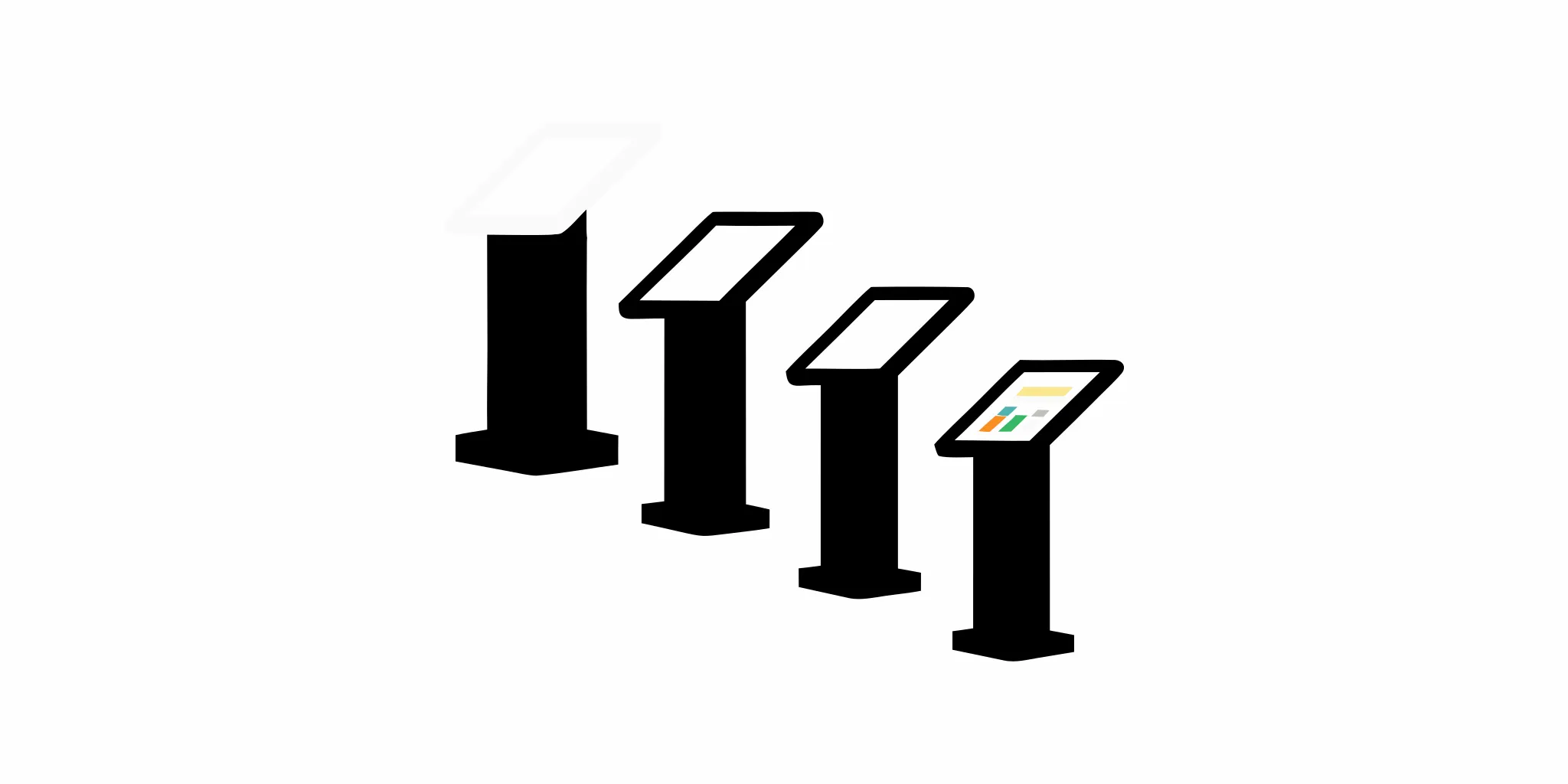


Finding the right location is one of retail's biggest challenges. But what if you could place your brand directly inside another bustling environment? Think airports, stadiums, or even as a dedicated store-within-a-store inside a larger retail partner. This is the unique flexibility a retail kiosk provides. Its compact, self-contained design is perfect for capturing new audiences in unconventional and high-traffic settings. A kiosk serves as a powerful brand ambassador, letting you test new markets or launch specific product lines with significantly less risk, offering a smarter way to grow your physical presence.
A retail kiosk, sometimes called a mall kiosk or retail merchandising unit (RMU), is essentially a compact, self-contained store. Think of it as a mini-shop where an operator is typically in the center, serving customers who can approach from multiple sides. These small but mighty retail environments are designed to capture attention in high-traffic areas, giving brands a physical presence without the commitment and overhead of a traditional brick-and-mortar location.
For businesses looking to expand their footprint, a well-designed kiosk is more than just a point of sale. It’s a powerful branding tool and a flexible way to connect with customers directly. Whether you’re launching a new product or testing a new market, a kiosk offers a focused and engaging shopping experience. The key is creating a fixture that not only looks great but also functions seamlessly for your team and your customers, which is where expert design and engineering comes into play.
Kiosks are not a one-size-fits-all solution. They come in various shapes and sizes, each designed to maximize visibility and showcase products effectively. You’ll find everything from L-shaped and U-shaped counters to more dynamic circular or S-shaped designs. The shape you choose often depends on your product line, the flow of foot traffic in your chosen location, and the kind of customer interaction you want to encourage. The goal is to create an inviting space that draws people in. A custom-designed kiosk can reflect your brand’s unique identity and make your products stand out in a crowded marketplace.
Self-service and self-checkout kiosks are all about giving customers more control over their shopping experience. These stations allow shoppers to handle tasks like placing an order or paying for items without needing to wait for an associate. By automating these routine processes, you can significantly cut down on queue times and free up your staff to focus on more complex customer needs, like offering product advice or managing inventory. This not only streamlines your operations but also caters to the modern consumer who values speed and efficiency. Implementing these kiosks can lead to a smoother, more satisfying customer journey from start to finish.
In large or complex retail environments, getting lost can be a frustrating experience for shoppers. Wayfinding kiosks solve this problem by acting as interactive digital guides. These units display easy-to-read maps and provide clear, step-by-step directions to specific stores, departments, or even individual products. By making it simple for customers to find what they’re looking for, you reduce friction and encourage them to explore more of your space. This is especially useful in sprawling shopping malls or multi-level department stores where a positive in-store experience is essential for a successful visit.
Think of an information kiosk as a digital concierge for your customers. These self-service stations provide instant access to a wealth of useful content, such as store directories, product specifications, answers to frequently asked questions, or event schedules. Instead of searching for a staff member, shoppers can quickly find the information they need on their own. This empowers customers to make more informed purchasing decisions and reduces the repetitive questions your team has to answer. It’s an effective way to deliver consistent, accurate information and improve the overall efficiency of your store.
Ticketing kiosks are designed to automate the process of selling and distributing tickets for events, venues, or transportation. You’ve likely seen them at movie theaters, theme parks, and train stations. They allow customers to purchase tickets, select seats, and print their passes without ever waiting in a traditional line. By offering a self-service option that’s available around the clock, businesses can manage customer flow more effectively and reduce labor costs associated with ticket windows. This provides a much more convenient experience for people on the go, reflecting a broader trend toward automating customer service.
An endless aisle kiosk is a powerful tool for bridging the gap between your physical store and your online inventory. When a customer can’t find a specific size, color, or product on the shelf, these kiosks allow them to browse your entire online catalog right from the sales floor. They can then place an order for the out-of-stock item and have it shipped directly to their home. This simple solution helps you prevent lost sales due to limited in-store stock and ensures customers always have access to your full range of products, creating a seamless omnichannel shopping experience.
Digital signage kiosks use vibrant, dynamic displays to capture customer attention in a way that static signs simply can’t. These screens can showcase everything from eye-catching advertisements and promotional videos to restaurant menus and event schedules. Because the content can be updated remotely and in real-time, you can easily tailor your messaging for different times of the day, specific promotions, or seasonal campaigns. This flexibility makes digital signage an incredibly effective tool for communicating with customers, reinforcing your brand identity, and driving sales through compelling visual merchandising.
As omnichannel retail becomes the standard, making returns and pickups as easy as possible is crucial. Return kiosks streamline the process by allowing customers to initiate a return, print a shipping label, or receive store credit without waiting for assistance. Similarly, BOPIS (Buy Online, Pick-up In-Store) stations, often in the form of secure lockers, let customers retrieve their online orders quickly and conveniently. Both solutions cater to the modern shopper’s desire for speed and autonomy, while also helping you manage BOPIS logistics more efficiently and reduce pressure on your customer service team.
You’ve likely seen retail kiosks in bustling shopping malls, airports, stadiums, or even as a "store-within-a-store" inside a larger retail establishment. They typically occupy a small footprint, often around 10 by 10 feet, making them an efficient use of prime commercial real estate. Their strategic placement ensures they capture a steady stream of potential customers who are already in a shopping mindset. Beyond just selling products, kiosks have become essential for managing labor costs, driving sales, and enhancing the overall customer experience. They serve as interactive hubs where customers can learn about products, make quick purchases, or engage with your brand, as you can see in our work with other retailers.
While both can sell products without a traditional checkout line, a retail kiosk and a vending machine are fundamentally different. The key distinction lies in functionality and customer interaction. A vending machine is purely transactional—you insert payment and it dispenses a product. A kiosk, however, is designed to be an interactive experience. It often features a touchscreen, connects to the internet, and runs sophisticated software that can showcase a wide range of products, provide detailed information, and accept multiple forms of payment. Think of it less like a dispenser and more like a compact, self-contained storefront, which requires thoughtful design and engineering to create a seamless customer journey.
Retail kiosks are much more than a passing trend; they are a powerful tool for growing your brand's physical presence. For businesses looking to expand their reach, connect with customers in new ways, and operate more efficiently, kiosks offer a strategic advantage. They can help you enter new markets, streamline operations, and create memorable customer experiences without the commitment of a full-scale brick-and-mortar store. Let's look at a few key reasons why a retail kiosk might be the perfect next step for your business.
One of the most compelling reasons to consider a retail kiosk is the financial benefit. Opening a traditional retail store involves significant upfront investment in rent, utilities, and staffing. Kiosks, on the other hand, offer a much more cost-effective way to establish a physical footprint. Because they are smaller, they require less space, which translates to lower leasing costs. They can also be operated with fewer employees, reducing payroll expenses. This lean operational model allows you to allocate more of your budget toward what really matters: your products and customer experience. S-CUBE’s approach to domestic and international manufacturing ensures you get a high-quality fixture that fits your budget.
Imagine placing your brand directly in the path of thousands of potential customers every day. Kiosks make that possible. Their small size allows them to fit into high-traffic areas like shopping malls, airports, and event venues where a traditional storefront might not be feasible. This flexibility gives you access to prime real estate and instant visibility. Kiosks are also semi-permanent, meaning you can test a location and move if it isn't the right fit. This adaptability is perfect for seasonal promotions or for following your customers wherever they are. You can see examples of this in action by looking at our work with other leading retailers.
Modern kiosks are designed to be interactive and user-friendly, creating a seamless experience for shoppers. They can provide detailed product information, showcase tutorials, and even offer personalized recommendations based on customer data. By handling routine tasks like ordering and payment, kiosks free up your staff to focus on more meaningful interactions, like providing expert advice or resolving complex issues. An intuitive and well-designed kiosk can shorten wait times, simplify the buying process, and give customers more control over their shopping journey. The key is thoughtful design and engineering to create an interface that is both engaging and easy to use.
Thinking about launching a new product line or expanding into a new city? A kiosk is an excellent, low-risk way to test the waters. Instead of committing to a long-term lease and a full inventory rollout, you can use a kiosk to gauge customer interest and gather valuable feedback. This approach allows you to collect real-world sales data and see how a new market responds to your brand before making a larger investment. It’s a smart, data-driven strategy for growth that minimizes risk and maximizes your chances of success. With strong project management, you can efficiently manage a test rollout across multiple locations.
Beyond testing new markets, retail kiosks deliver tangible results that directly impact your bottom line. They are not just a customer-facing convenience; they are a strategic investment in operational efficiency and sales growth. By integrating smart technology and thoughtful design, kiosks can transform the shopping experience, encouraging customers to spend more while streamlining your internal processes. The data shows that businesses leveraging this technology see significant returns, from higher transaction values to shorter lines, proving that a well-executed kiosk program is a powerful engine for growth.
A kiosk can do more than just take an order; it can actively help increase it. With the right programming, self-service kiosks can present customers with relevant upsells and cross-sells, suggesting complementary products or premium options at the perfect moment. This automated approach to suggestive selling is remarkably effective, with some studies showing that kiosks can increase the average customer spend by up to 30%. By providing detailed product information and showcasing promotions without pressure, kiosks empower customers to make more informed—and often larger—purchases. The success of these features hinges on an intuitive user interface, making expert design and engineering a critical part of the process.
Nothing deters a potential sale faster than a long line. Kiosks offer a direct solution by providing a self-service option that significantly speeds up the checkout process. For retailers, this efficiency is a game-changer, as businesses using kiosks have seen wait times shorten by up to 40%. This not only improves customer satisfaction and loyalty but also increases throughput, allowing you to serve more people in less time. By handling routine transactions, kiosks free up your employees to focus on higher-value tasks like providing personalized assistance or managing more complex customer needs. This creates a smoother, more pleasant experience for everyone and keeps your operations running efficiently.
Investing in retail kiosks isn't just about meeting current demands; it's about positioning your brand for the future. The self-service market is expanding rapidly, with the global kiosk industry projected to reach over $38 billion by 2027. This growth signals a fundamental shift in consumer expectations toward greater convenience, speed, and control over their shopping experience. By integrating kiosks into your retail strategy now, you align your business with this powerful trend and stay ahead of the competition. A successful, scalable rollout requires a partner who understands the complexities of multi-location deployment, from manufacturing to logistics and distribution, ensuring a consistent brand experience everywhere.
Today’s retail kiosks are far more advanced than the simple, transactional machines of the past. They’ve evolved into powerful tools that can create dynamic, personalized, and highly efficient shopping experiences. When designed thoughtfully, modern kiosks integrate sophisticated technology that not only captures a customer's attention but also streamlines your operations. From interactive displays that let customers explore your entire product line to AI-driven recommendations that feel personal, these features are what set a successful kiosk strategy apart. By incorporating the right technology, you can create a kiosk that serves as a brand ambassador, a salesperson, and a point-of-sale system all in one. Let's look at the key features that make these fixtures so effective in a modern retail environment.
One of the most exciting developments in kiosk technology is the ability to create truly interactive experiences. Instead of just displaying static information, modern kiosks use high-resolution touchscreens, augmented reality (AR), and even virtual try-on features to let customers engage with products in new ways. For example, a customer could use a kiosk to see how a piece of furniture would look in their home or try on different shades of makeup without ever touching a physical product. This kind of interactive technology makes shopping more memorable and gives customers the confidence to make a purchase, which helps build lasting loyalty.
In retail, speed and convenience are everything. Modern kiosks are designed to make the checkout process as smooth as possible by offering a variety of payment options, especially contactless methods. Integrating NFC technology for tap-to-pay cards and mobile wallets like Apple Pay and Google Pay is now standard. This not only meets customer expectations but also significantly reduces transaction times and long lines. The growing demand for contactless transactions has made this feature essential. When kiosks also integrate with your store’s mobile app, customers can easily apply loyalty points or access exclusive discounts, creating a seamless link between your digital and physical channels.
Imagine a kiosk that acts like your best salesperson, offering smart, tailored suggestions to every customer. That’s the power of AI-powered personalization. By connecting to your customer data, kiosks can greet returning shoppers by name, recall their purchase history, and recommend products they’re likely to love. This technology can also show real-time inventory, suggesting alternative items if a product is out of stock at that location. This level of personalized experience makes customers feel understood and valued, which can lead to larger purchases and a stronger connection to your brand.
While the software and interactive features are the brains of a modern kiosk, the physical hardware is the body your customers will see and touch. The right components, materials, and design choices are what bring the digital experience to life and ensure your kiosk can stand up to the demands of a busy retail environment. A well-built kiosk not only functions flawlessly but also reinforces your brand’s commitment to quality. Getting these physical details right is essential for creating a reliable and inviting touchpoint that customers will feel confident using, which is why a focus on quality construction is so important.
At its core, a retail kiosk is an assembly of carefully selected technology housed in a custom-built enclosure. The most critical hardware parts include a responsive digital touchscreen that serves as the main user interface, along with secure payment systems like card readers and NFC pads for contactless transactions. Many kiosks also incorporate barcode scanners for product lookups or coupon redemptions and cameras for features like virtual try-on. These essential components work together to create a smooth, intuitive journey, allowing customers to browse, select, and pay without any friction. Choosing reliable, commercial-grade hardware is the first step in building a kiosk that delivers a consistent experience across all your locations.
The look and feel of your kiosk say a lot about your brand. The materials and finishes you choose are crucial for creating a fixture that is not only visually appealing but also durable enough for high-traffic settings. Options range from sleek metals and durable laminates to warm woods and solid surfaces, allowing you to match the kiosk’s aesthetic to your store environment perfectly. The right finish can also protect against scratches, fingerprints, and daily wear and tear, keeping your investment looking new for longer. This is where expert design and engineering become critical, ensuring the final product is a true reflection of your brand’s quality and can withstand the test of time.
Not all kiosks are built to live in the same environment. An indoor kiosk in a climate-controlled mall has very different needs than one placed outdoors on a busy sidewalk or in a stadium. Outdoor models require weather-resistant materials, brighter screens that are readable in direct sunlight, and internal climate controls to protect the electronic components from extreme temperatures. Indoor kiosks, on the other hand, can focus more on integrating seamlessly with interior design elements. A successful kiosk program considers these environmental factors from the start, ensuring that each unit is perfectly suited for its specific location and built to perform reliably, day in and day out.
While advanced features are exciting, practical considerations like security are just as important. Modern kiosks are built with security in mind, from both a physical and digital standpoint. This includes durable, tamper-resistant enclosures and secure mounts to protect the hardware. On the software side, secure payment processing is critical to protect customer data. Many kiosks also incorporate discreet cameras and other anti-theft measures to safeguard the products they dispense or display. A well-designed kiosk also features an intuitive interface that is accessible to all users, ensuring a positive experience while protecting your investment.
Because retail kiosks are public-facing devices, they require robust software security to prevent tampering and misuse. This is where a Unified Endpoint Management (UEM) system becomes essential. Think of UEM as the digital security guard for your entire fleet of kiosks. It’s a centralized platform that allows your IT team to secure, monitor, and manage every device from a single dashboard, no matter where it’s located. This ensures that each kiosk remains locked into its specific function—serving your customers—while protecting it from potential security threats and unauthorized access, which is a critical component of any successful multi-store rollout.
A key feature of any good kiosk management software is a "lockdown mode." This function essentially transforms a standard tablet or computer into a dedicated, single-purpose device. It restricts the user to one specific application or a pre-approved set of apps, preventing them from accessing the underlying operating system, changing settings, or browsing the internet. This is crucial for maintaining a consistent and controlled customer experience. By locking down the device, you ensure it’s always ready for the next customer and can’t be accidentally or intentionally used for anything other than its intended purpose, keeping your brand presentation professional and secure.
When you have kiosks deployed across dozens or even hundreds of locations, you can't afford to send a technician out for every minor glitch. Modern kiosk software includes remote troubleshooting capabilities, allowing your support team to diagnose and resolve issues from anywhere. Whether it’s an unresponsive screen, an outdated price, or a software bug, these problems can often be fixed remotely, minimizing downtime and keeping your kiosks operational. This level of control is vital for maintaining a seamless customer experience and is a key consideration in the project management phase of a large-scale deployment, ensuring your investment continues to perform.
While retail kiosks offer exciting opportunities, a successful launch requires careful planning. Like any major project, implementing kiosks comes with a unique set of hurdles. From technical glitches to customer adoption, being aware of these potential roadblocks is the first step to overcoming them. Thinking through these challenges ahead of time ensures your kiosk program runs smoothly and delivers the results you’re looking for. A strategic partner can help you prepare for these issues and create a seamless experience for your customers and your team.
One of the most significant challenges is the technology itself. Kiosks aren't just plug-and-play devices; they need to integrate perfectly with your existing inventory, sales, and customer management systems. The integration process can be complex, especially if you need custom software or applications. You also need a plan for remote management, which includes monitoring performance, pushing timely updates, and troubleshooting issues without having a technician on-site for every minor problem. Getting the tech right from the start is crucial for a reliable and effective kiosk experience.
Even the most advanced kiosk is only effective if customers use it. Some shoppers may feel hesitant about interacting with a new interface, preferring the familiarity of a traditional checkout or speaking with a sales associate. It’s important to design an intuitive, user-friendly experience that guides them through the process. Furthermore, hygiene has become a top concern for many consumers. You’ll need clear protocols for regular cleaning and sanitization to build trust and address customer hesitation around high-touch surfaces, ensuring everyone feels comfortable using your kiosks.
A kiosk’s primary function often involves transactions, so a flawless payment system is non-negotiable. Finding a reliable payment mechanism that is secure, fast, and accepts various payment methods (like credit cards, mobile wallets, and contactless payments) is essential. Beyond the initial setup, you need a solid plan for ongoing maintenance. This includes everything from restocking receipt paper and cleaning screens to handling software bugs and hardware malfunctions. Proactive maintenance ensures your kiosks remain operational, preventing frustrating downtime that can lead to lost sales and unhappy customers.
For regional or national chains, deploying kiosks across multiple locations adds another layer of complexity. Consistency is key, but store layouts and customer demographics can vary, which might require different kiosk models or configurations. Managing different kiosk types while maintaining a cohesive brand experience is a significant logistical challenge. A successful multi-store rollout requires meticulous project management, from manufacturing and shipping to installation and staff training. Partnering with an experienced provider who understands the intricacies of large-scale deployments can make all the difference in executing a smooth and successful launch.
Deciding between interactive kiosks and traditional fixtures isn’t always an either/or choice. In fact, the most successful retail environments often use a thoughtful mix of both. Understanding the key differences in cost, customization, and flexibility will help you build a strategy that fits your brand, budget, and long-term goals. Let's break down how they stack up so you can make an informed decision for your next project. Both options offer unique ways to connect with customers, but they serve different functions within your store's ecosystem. By weighing their strengths, you can create a balanced and effective retail experience that drives sales and builds loyalty.
Traditional fixtures typically involve a more straightforward, one-time cost for design, manufacturing, and installation. Once the design is approved, the production and rollout timeline is generally predictable. Kiosks, on the other hand, come with different considerations. While the hardware has an upfront cost, the real complexity often lies in the software. Integrating custom applications, ensuring remote management is possible, and planning for timely updates can extend the implementation timeline. A successful multi-store rollout requires careful project management to handle these technical hurdles and ensure every unit functions perfectly from day one.
Traditional fixtures are the backbone of your store’s physical identity. They offer deep customization through materials, colors, shapes, and lighting, creating an immersive brand environment that tells your story. Kiosks approach customization from a digital angle. Their power lies in creating a personalized user experience through an intuitive interface. You can integrate them with customer data to offer tailored recommendations and product information, making the shopping journey more interactive. The key is to ensure the physical kiosk housing and the digital interface both align perfectly with your brand, which is where expert design and engineering become essential.
When it comes to store layout, traditional fixtures are built for stability. They are designed to be permanent or semi-permanent, defining traffic flow and creating a consistent shopping experience for your customers. Kiosks offer a completely different advantage: flexibility. Their smaller footprint and self-contained nature make them easy to move and adapt. You can place them in high-traffic areas, use them for seasonal promotions, or deploy them in pop-up shops to test new markets. This mobility allows you to quickly respond to changing customer behaviors and business needs, making them a versatile tool in your retail playbook.
Launching your first retail kiosk is an exciting step, but it requires a clear, strategic approach to get it right. From defining your goals to managing the logistics of a multi-store rollout, every decision impacts your success. The process involves more than just picking a piece of hardware; it’s about creating a complete customer experience that aligns with your brand. By breaking it down into manageable steps, you can ensure your kiosk program is built on a solid foundation, ready to engage customers and drive sales from day one.
Selecting the right kiosk starts with understanding its purpose. Are you trying to shorten checkout lines, provide endless aisle access to your full inventory, or create an interactive product discovery tool? Your answer will shape every aspect of the design, from the physical footprint to the software interface. The goal is to create a fixture that feels like a natural extension of your brand while serving a clear function for your customers. Working with a partner who specializes in custom retail solutions can help you translate your business needs into a functional and engaging kiosk design that delivers results.
Before you dive into hardware specs and software options, take a step back and answer a few fundamental questions. First, what specific problem will this kiosk solve for your customers and your team? The key is creating a fixture that not only looks great but also functions seamlessly. Second, how will it integrate with your existing technology? Kiosks aren't plug-and-play devices; they need to connect with your inventory, sales, and customer management systems. Finally, what should the customer journey feel like? It’s important to design an intuitive, user-friendly experience that guides them through the process without friction. Answering these questions upfront will provide a clear roadmap for your entire project.
Kiosks are not a one-size-fits-all solution, which is why they’re so effective across a wide range of industries. Their small size allows them to fit into high-traffic areas like shopping malls, airports, and event venues where a traditional storefront might not be feasible. Retailers in fashion, cosmetics, and consumer electronics use them to create interactive product showcases and streamline purchases. In the food and beverage industry, they simplify ordering and payment. Even service-based businesses use kiosks for ticketing and information. The versatility of custom kiosks means they can be adapted to meet the unique demands of almost any retail environment, engaging customers wherever they are.
When you decide to add a kiosk to your retail space, your first big choice is whether to go with a pre-built model or a custom design. Pre-built options can be quicker to deploy, but they often lack the unique branding and specific functionality your business needs. A custom kiosk, on the other hand, is designed from the ground up to match your brand’s aesthetic and integrate seamlessly with your operations. You can specify the exact materials, colors, and technology to create an experience that feels like a natural extension of your brand. With the right partner, even custom design and engineering can be streamlined for efficient rollouts across multiple locations, ensuring a consistent and high-quality result.
Turning a great kiosk concept into a physical reality requires a partner with deep manufacturing expertise. A specialized manufacturer does more than just build a box; they help you value-engineer the design for durability and cost-effectiveness, source the right materials, and manage the entire production process. For multi-location rollouts, a reliable partner is essential for ensuring every kiosk is built to the same high standard and delivered on schedule. They can also help you think through how the kiosk will support back-end operations like inventory management and order fulfillment, making it a truly integrated part of your business. A manufacturer with a full range of services can handle every detail from start to finish.
The budget and timeline for your kiosk project will depend on several key factors. The level of customization is a major one, as unique shapes, materials, and finishes will influence cost. Technology is another significant variable; features like interactive touchscreens, payment processors, and custom software all add to the complexity. The integration process is often the biggest challenge, so it’s important to plan for it from the beginning. Working with a team that offers dedicated project management can help you anticipate these hurdles, create a realistic budget, and keep your project on track. This support is crucial for preventing costly delays and technical issues down the line.
The physical unit itself is your starting point. This includes the enclosure that houses the technology, the touchscreen display, the payment terminal, and any other physical components like printers or scanners. The cost can vary widely based on complexity and materials. For example, a basic self-order kiosk might cost between $2,500 and $7,500 per unit, depending on the hardware and software sophistication. A fully custom-designed kiosk with premium finishes, a larger screen, or specialized components will naturally be at the higher end of that spectrum. This initial investment covers the tangible asset that customers will interact with, so durability and brand alignment are key considerations.
Beyond the physical hardware, the software that runs your kiosk is a critical and ongoing expense. This is typically a subscription-based service that covers the user interface, payment integration, and remote management capabilities. These monthly fees ensure your kiosks stay updated with the latest security patches and features. To give you a concrete example, the Square Kiosk app costs $50 per month for each device on their Plus plan. When calculating your total cost of ownership, it's important to factor in these recurring software fees for every kiosk you plan to deploy, as they are essential for keeping your operations running smoothly.
Every time a customer completes a transaction at your kiosk, a small portion of that sale goes toward payment processing. These fees are standard across the retail industry and apply to any credit or debit card transaction. The rates can vary depending on the provider, but they are usually a combination of a percentage of the sale and a small fixed fee. For instance, with Square Plus, the fee for tap, dip, or swipe payments is 2.5% plus 15 cents per transaction. While this might seem minor on an individual purchase, these fees add up over time and are a significant operational cost to include in your financial projections.
Finally, you need to account for the cost of getting your kiosks delivered and installed. For a very simple setup, like an iPad on a stand, installation might be straightforward with minimal fees. However, for more complex, custom-built kiosks, professional installation is often necessary to ensure everything is connected and working correctly. For a multi-location rollout, these costs also include shipping and coordination. A partner with strong logistics and distribution capabilities can manage this entire process, ensuring your kiosks arrive safely and are set up efficiently, minimizing downtime and getting you ready for business faster.
How do I know if a kiosk is the right choice for my business? A kiosk is a great strategic tool if you have a specific goal in mind, like testing a new market, showcasing a new product line, or streamlining your checkout process. If your primary need is to create an immersive brand environment or display a wide variety of products, traditional fixtures might be a better fit. Often, the most effective retail spaces use a combination of both to serve different customer needs.
What is the most common mistake to avoid when implementing kiosks? The biggest pitfall is underestimating the technical side of the project. Many businesses focus on the physical design but overlook the complexity of integrating the kiosk’s software with their existing inventory, sales, and payment systems. A kiosk that doesn't work reliably is worse than no kiosk at all, so it's essential to plan for seamless software integration from the very beginning.
How long does it take to develop and roll out a custom kiosk? The timeline really depends on the complexity of your project. A simple design with standard technology might take a few months, while a highly customized kiosk with unique software and features for a multi-store rollout will require a more extensive schedule. The process includes design, engineering, prototyping, manufacturing, and installation, so having a clear project plan is key to launching on time.
Are kiosks only useful for making sales? Not at all. While many kiosks are used as points of sale, they are incredibly versatile. You can use them as information hubs where customers can look up product details, as interactive stations for customizing orders, or as a simple way for shoppers to sign up for your loyalty program. Think of them as a tool to handle any specific, repeatable task, which frees up your staff for more complex customer interactions.
How much should I expect to budget for a custom kiosk project? The cost can vary widely based on three main factors: materials, technology, and the level of customization. A kiosk built with premium materials and equipped with advanced features like augmented reality and custom software will naturally have a higher price point. The best approach is to define your goals first, which allows a manufacturing partner to help you design a solution that fits your budget and delivers results.
Subscribe for expert insights on fixture design, materials, and modern retail environments.